Logitech USB Unifying Reciver
Logitech USB Unifying Reciver
- Brand: Logitech
- Item No : LOG-910-005239
- USB receiver to be used with a Unifying mouse or keyboard
- Dimensions
- Height: 15 mm
- Width: 9 mm
- Depth: 6 mm
- Weight: 1.23 g
- Logitech Unifying compatible devices: Windows®︎ 10,11 or later, macOS 10.10 or later
- Warranty: 1 Year
ONE RECEIVER – 6 DEVICES
Connect up to 6 compatible keyboards and mice to one computer with a single Unifying receiver – and forget the hassle of multiple USB receivers.

TINY, LEAVE-IN RECEIVER
Our smallest Unifying receiver. So tiny that you can leave it in your notebook, so there's no need to unplug it when you move around.

ADDITIONAL RECEIVER FOR LOGITECH DUAL CONNECTIVITY DEVICES
Use an extra Unifying receiver to connect a dual connectivity mouse or keyboard – or both – to a second computer. Then switch from one computer to the other with the push of a button for efficient multi-tasking. It can also be a great add on for your Logitech Flow setup.

Original: $69,000.00
-65%$69,000.00
$24,150.00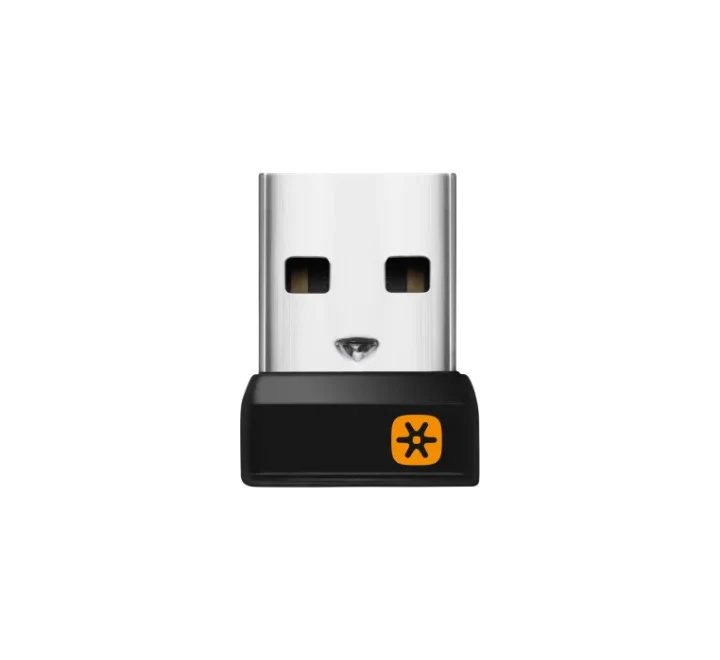
Description
Logitech USB Unifying Reciver
- Brand: Logitech
- Item No : LOG-910-005239
- USB receiver to be used with a Unifying mouse or keyboard
- Dimensions
- Height: 15 mm
- Width: 9 mm
- Depth: 6 mm
- Weight: 1.23 g
- Logitech Unifying compatible devices: Windows®︎ 10,11 or later, macOS 10.10 or later
- Warranty: 1 Year
ONE RECEIVER – 6 DEVICES
Connect up to 6 compatible keyboards and mice to one computer with a single Unifying receiver – and forget the hassle of multiple USB receivers.
TINY, LEAVE-IN RECEIVER
Our smallest Unifying receiver. So tiny that you can leave it in your notebook, so there's no need to unplug it when you move around.
ADDITIONAL RECEIVER FOR LOGITECH DUAL CONNECTIVITY DEVICES
Use an extra Unifying receiver to connect a dual connectivity mouse or keyboard – or both – to a second computer. Then switch from one computer to the other with the push of a button for efficient multi-tasking. It can also be a great add on for your Logitech Flow setup.